Tinkers 4: The First Vibecodeventures
Table of Contents
I’m starting this new series for making stuff on a short timeline. I wanna say the title to this is mostly joke, but here’s the background.
Background to Vibecoding
My workplace Checkr is increasing its encouragement reguarding ai tools and at this point I feel a need to start picking this stuff up. And, thanks to work I’ve experienced using lovable for ui, and have previously used ChatGPT for planning out a person project I later abandoned. So needless to say, I have a very small background in this.
Background to THIS project
So I’ve picked up self hosting, as mentioned in “Self Hosting is Kinda Based”, I’ve been setting up a new campaign in foundryvtt, and with setup comes assests, and with assets come music. For purposes of this article, I am only installing royalty free music from YouTube and strongly encourage everyone to only do so for such purposes. Legal disclaimer out of the way, the modules that would allow you to do that easily have been hunted down via youtube for, ya know, downloading music illegally. Which again, I’m not doing.
So I had an idea, what if I had Claude make it? Supposedly these are really simple mods, take a link, download the audio, and add it to foundry. Simple, right?
The Dog Ate my Homework
So in making this module I prompted Claude; and got back a weirdly complex solution. Frankly, I as the prompter just wanted a simple and elegant solution for this. Not, Run an express server, have most stuff live on the client side, install a cli tool, etc.
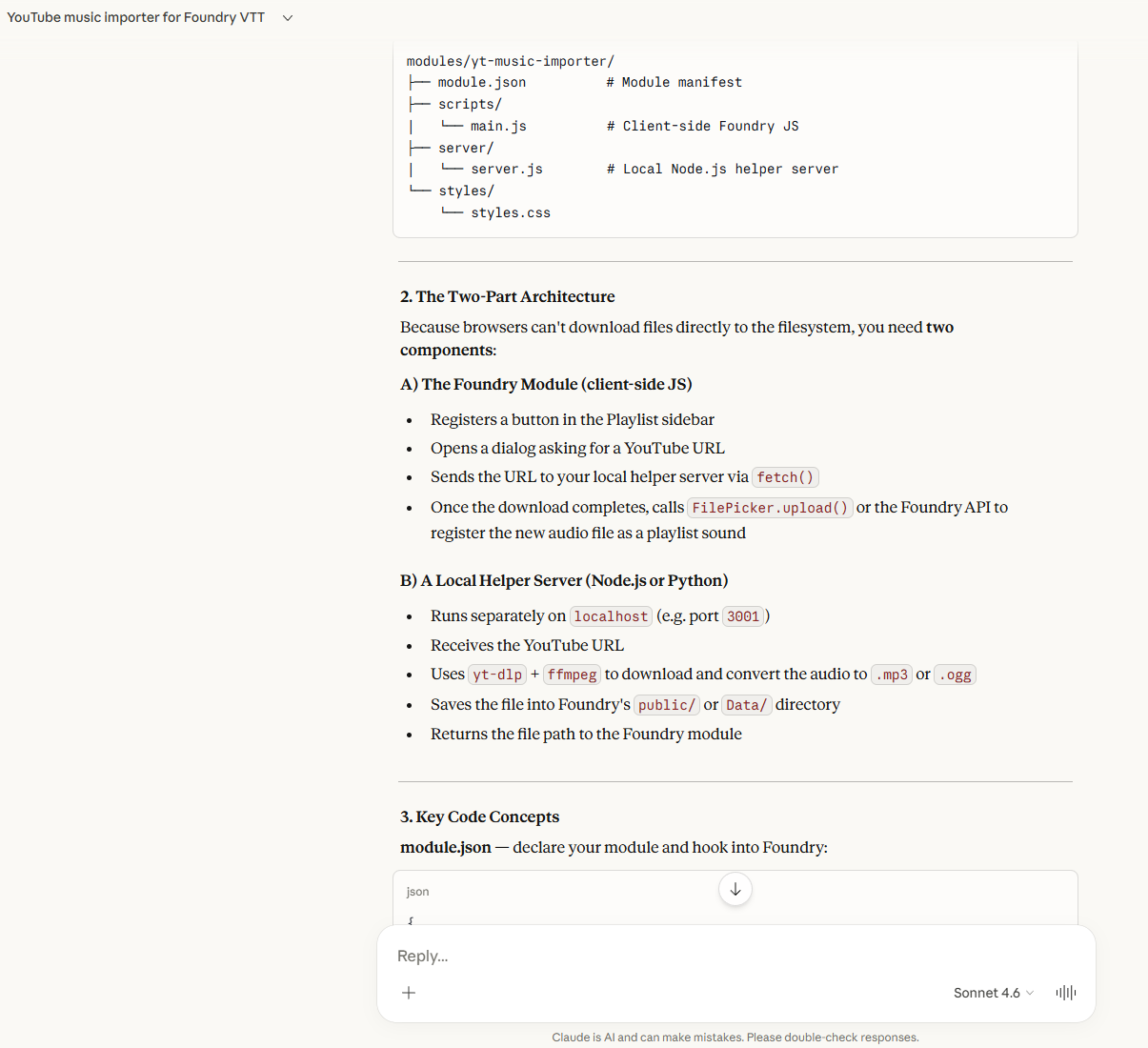
So I told it to remake it to be server side. This couldn’t possibly go wrong right? Foundry surely has purely server side modules and I dont need to look this up right?

Yeah so turns out you need to search this things as you confirm your project plan.
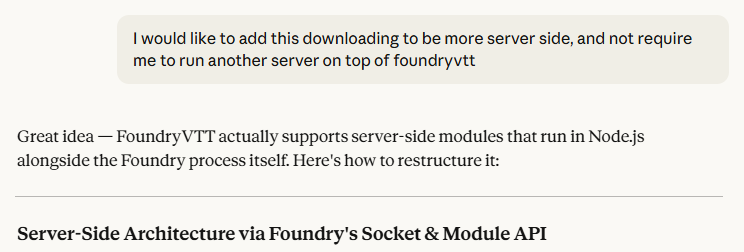
It hallucinated an entire way of doing server side modules that didn’t exist. I did find out, but only after debugging why the upload button didn’t work. So, with the hints of a possible solution I got from the first one, and again not wanting to run a second dedicated server just to downloading YouTube videos, I moved on.
Prompt easier solutions
I asked it to make me a really simple Linux command:
I want a linux script that I can run with a youtube url and download with yt-dlp running in a python venv and always put them in a specific folder that I can simply run ‘command youtubeLink’
Really simple, but pretty effective, and now I don’t haft to download to my pc through a sketchy site and upload from my computer taking forever to get anything on the pi. I can use it like:
ytdl https://www.youtube.com/watch?v=dQw4w9WgXcQ
If you want the code for this, check out the appendix!
Future ideas
One thing I learned from work is that UI’s are very easy to get something decent out, so for next vibecodeventure I am going to make an internally hosted habit tracker. We’ll see how it goes.
-Hool
P.S. if this feels like a pivot from my previous ai assertions, it kinda is. Idk what else to say about it other than using it at work has shown me how nice it can be, and more importantly, the reduction in cognitive load for personal projects I feel will get me creating more. We’ll see!
Appendix: ytdl
#!/usr/bin/env bash
# ytdl - Download YouTube audio as MP3 using yt-dlp in a Python venv
# Usage: ytdl <youtube_url>
# Setup: Run with --setup flag first to initialize the venv

set -euo pipefail

# ── Configuration ────────────────────────────────────────────────────────────
DOWNLOAD_DIR="/media/cb/External/foundrydata/Data/music"         # <-- Change this to your preferred folder
VENV_DIR="$HOME/.ytdl-venv"
# ─────────────────────────────────────────────────────────────────────────────

setup() {
    echo "Setting up yt-dlp environment..."

    # Create download directory
    mkdir -p "$DOWNLOAD_DIR"
    echo "✓ Download folder: $DOWNLOAD_DIR"

    # Create venv
    python3 -m venv "$VENV_DIR"
    echo "✓ Virtual environment: $VENV_DIR"

    # Install yt-dlp
    "$VENV_DIR/bin/pip" install --quiet --upgrade pip yt-dlp
    echo "✓ yt-dlp installed"

    # Install this script to ~/bin so it's on PATH
    mkdir -p "$HOME/bin"
    cp "$(realpath "$0")" "$HOME/bin/ytdl"
    chmod +x "$HOME/bin/ytdl"
    echo "✓ Script installed to ~/bin/ytdl"

    # Check if ~/bin is on PATH
    if [[ ":$PATH:" != *":$HOME/bin:"* ]]; then
        echo ""
        echo "⚠  Add ~/bin to your PATH by appending this line to your ~/.bashrc or ~/.zshrc:"
        echo '   export PATH="$HOME/bin:$PATH"'
        echo "   Then run: source ~/.bashrc"
    fi

    echo ""
    echo "✅ Setup complete! Use: ytdl <youtube_url>"
    echo "   Note: ffmpeg must be installed for MP3 conversion (sudo apt install ffmpeg)"
}

download() {
    local url="$1"

    # Verify venv exists
    if [[ ! -f "$VENV_DIR/bin/yt-dlp" ]]; then
        echo "❌ yt-dlp not found. Run setup first:"
        echo "   ytdl --setup"
        exit 1
    fi

    mkdir -p "$DOWNLOAD_DIR"

    echo "⬇  Downloading to: $DOWNLOAD_DIR"
    echo "   URL: $url"
    echo ""

    "$VENV_DIR/bin/yt-dlp" \
        --format "bestaudio/best" \
        --extract-audio \
        --audio-format mp3 \
        --audio-quality 0 \
        --output "$DOWNLOAD_DIR/%(title)s.%(ext)s" \
        --progress \
        "$url"

    echo ""
    echo "✅ Saved to: $DOWNLOAD_DIR"
}

update() {
    if [[ ! -d "$VENV_DIR" ]]; then
        echo "❌ Venv not found. Run: ytdl --setup"
        exit 1
    fi
    echo "Updating yt-dlp..."
    "$VENV_DIR/bin/pip" install --quiet --upgrade yt-dlp
    echo "✅ yt-dlp updated to $("$VENV_DIR/bin/yt-dlp" --version)"
}

# ── Argument handling ─────────────────────────────────────────────────────────
case "${1:-}" in
    --setup|-s)
        setup
        ;;
    --update|-u)
        update
        ;;
    --help|-h|"")
        echo "Usage:"
        echo "  ytdl <youtube_url>    Download audio as MP3"
        echo "  ytdl --setup          First-time setup (creates venv, installs yt-dlp)"
        echo "  ytdl --update         Update yt-dlp to the latest version"
        echo ""
        echo "Downloads are saved to: $DOWNLOAD_DIR"
        echo "Requires ffmpeg for MP3 conversion: sudo apt install ffmpeg"
        ;;
    *)
        download "$1"
        ;;
esac