Tinkerings 2: How to Hate Your Pi
Table of Contents
It’s been a while since I’ve done one of these- hopefully I can get more out as I’d like this type of stuff to take up more space here.
Hey reader! I’m writing this in case anyone else has struggled with this like I have, what I did to fix it, and what wasn’t working.
Background
In March of 2020 I bought myself a canakit raspberry pi 4 PRO STARTER KIT, or says my email bestbuy receipt.
I originally bought this because all the funny tech YouTubers used them to make stuff and I had some plans to make stuff, but besides trying to host a modded Minecraft server that was far too much processing for my pi, I haven’t used it a bunch.
Now with my growing maturity to actually finish projects, I wanted a headless pi setup that I could ssh into and realistically keep it in the closet with my printer. From there, I can give it some of my jobs/hosting duties, and I’ll be able to keep discord bots up 24/7. Kinda like homelabbing, but not at all like homelabbing.
So here comes the issues, because nothing I build can ever just work.

A red herring
To quickly get this out of the way, the most common thing I ran into was people online talking about your wifi bands messing everything up. I changed our WiFi to disable the 5g band as so many had talked about, and turns out this was not important so I undid it pretty quick.
No mouse, No solutions
I hook my pi up to my monitor with my keyboard without a mouse. This is due to me not having a spare mouse that works apparently (need to clean out the office closet) and my mouse (mx master 3) not having the dongle easily accessible i.e. lost.
After doing so I try to navigate to a gui settings page for wifi for about 10 minutes with no success and get to googling. I use sudo raspi-config (yes I wrote that from memory from how many times I’ve done it) and set the wifi and…. It doesn’t connect.
I troubleshoot this for like 30 minutes not understanding why tf it’s not working.
Wait. Why tf is wifi off by default??
So I got my wife’s mouse that she was using (thank you wife) and plugged it in, navigated to the wifi button, and the WiFi was turned off. So I turn it back on, confused, I connect to the wifi and success right!
Wrong.
This had allowed me to temporarily connect, which allowed me to update my operating system, but on the next launch, the WiFi is disabled again.
RFKill, what is it good for?

Seriously what the f#*& is the point of rfkill? I ended up finding that my wifi was being soft blocked by rfkill after trying to turn on the wifi from the terminal.
I tried like 15 things to fix this, and I can’t even list them here because I thought about writing this and didn’t jot what I was doing down. At this point I was really frustrated and people online were just saying I should disable the wifi and use Ethernet, and I just wanna plug it into power in the closet and never touch the damn thing again.
But after much googling, I set the country code, and that seems to have stopped the soft blocking of WiFi. Yay!
Problem 4? 5? I can’t even count anymore
Yeah so now my wifi is on, but it won’t auto connect to the wifi and at this point my poor wife has been without a mouse for like an hour and a half when I said it would be short, so I return the mouse, join the wifi again using raspi-config and use ssh! Success! Kinds but the wifi still doesn’t connect so I still can’t run it headless.
Finally, a solution

And finally, after spending a whole night recently and many many hours across the past year, I have my pi working how I wanted.
I looked up some videos, ended up getting one about reformatting the drive to run headless, and quit for the evening after breaking out an old laptop. It refused to write to the microsd because of the sd card reader it was in, so I order a reader on Amazon (something I’d been planning to do anyway).
The next morning I used the Amazon shipped item, told it to reformat the card, it broke the first time, and the next 3 times due to various reasons (connection stability due to power delivered to my front usb ports, initial errors, redownloading) but after half an hour of restarting, I had a copy that hopefully worked, but I had to bounce for an event.
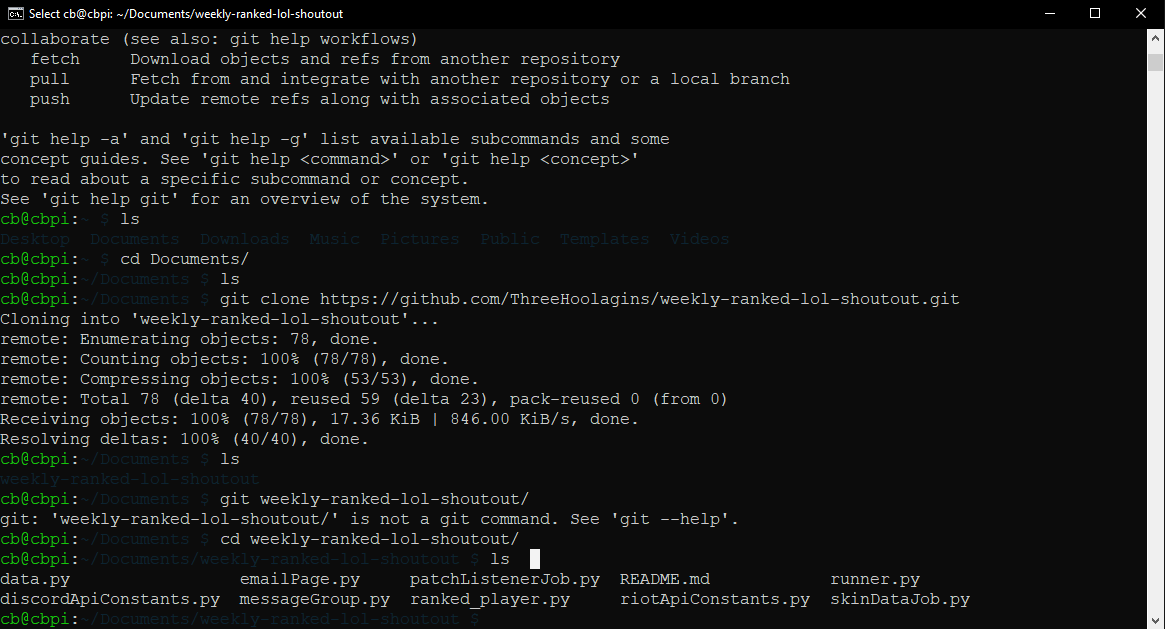
And when I got home, I checked my Xfinity app, and there it was connected. A quick troubleshoot of how I was supposed to connect with ssh, and…
Boom.
Conclusion
So what can I take away from this experience?
One might think this is another reason to add to the stack of ‘why projects can never be properly estimated’, or maybe I should have set it up closer to buying it, but I think I learned this: If troubleshooting on your fun project takes too long, I think clearing the slate and starting over is the best solution.
Spending your energy and limited time you have for side projects troubleshooting why RFKill is stopping you from connecting to the internet is frustrating, and in retrospect, unnecessary. I could have reformatted the drive and just had no issues, and spent all that time with my wife, or the total time spent on a hobby project actually getting the bot setup, which will be the next tinkerings blog post. Looking to see you there,
- Hool
